How to · guide 02 of 12 · 5 min read
Re-link the risk model to a schedule update
QSRA that only happens once is an audit exhibit, not a control. The month-two problem is always the same — the planner issues a new XER and your register, ranges and correlations point at last month's schedule. In RunMonteCarlo there is no re-link wizard because none is needed: importing a new schedule over a loaded model is the re-link.
- Open last month's Risk File. Open → your .riskproj — or just reopen the app; it restores the last session automatically.
- Import the new schedule over the top. Go to 1 Import and drop the new .xer / .xml / .csv on the same drop zone, exactly as on day one.
- Read the re-link banner. The app matches activities by ID first, then by activity code, and reports precisely what moved: risks kept · activities matched (durations changed) · new activities given default ranges — with vanished activities and risks whose mappings need checking called out in bold. Ranges, activity costs, correlation groups and per-group overrides all carry across; mappings to deleted activities are dropped and flagged, never silently kept.
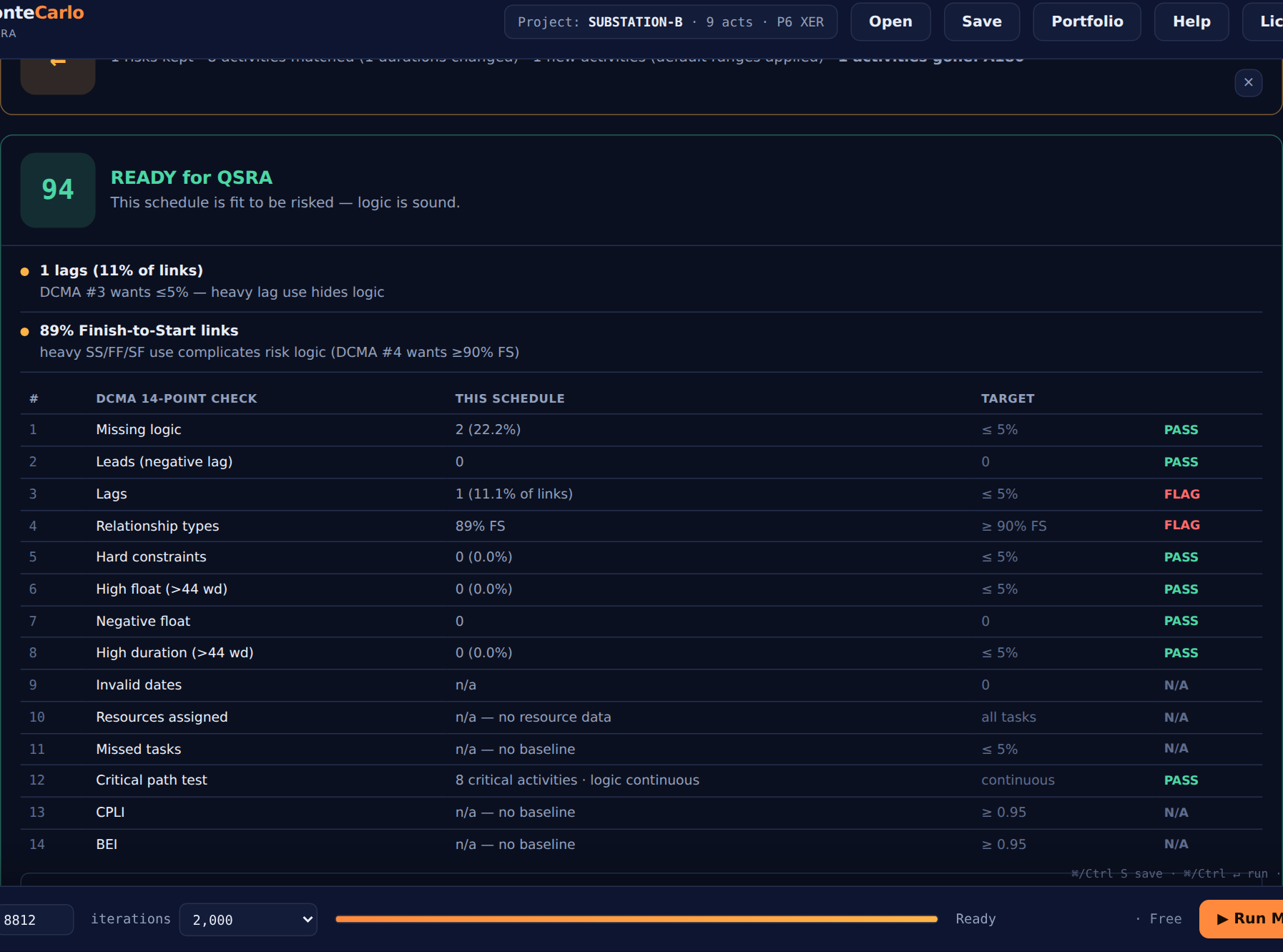 Month two on SUBSTATION-B: one activity deleted, one added, one duration changed — the banner accounts for every one.
 - Let the Fitness Gate re-grade the new file. It runs automatically below the banner. A schedule that got worse over the month is a finding in itself — the DCMA table prints in the report either way.
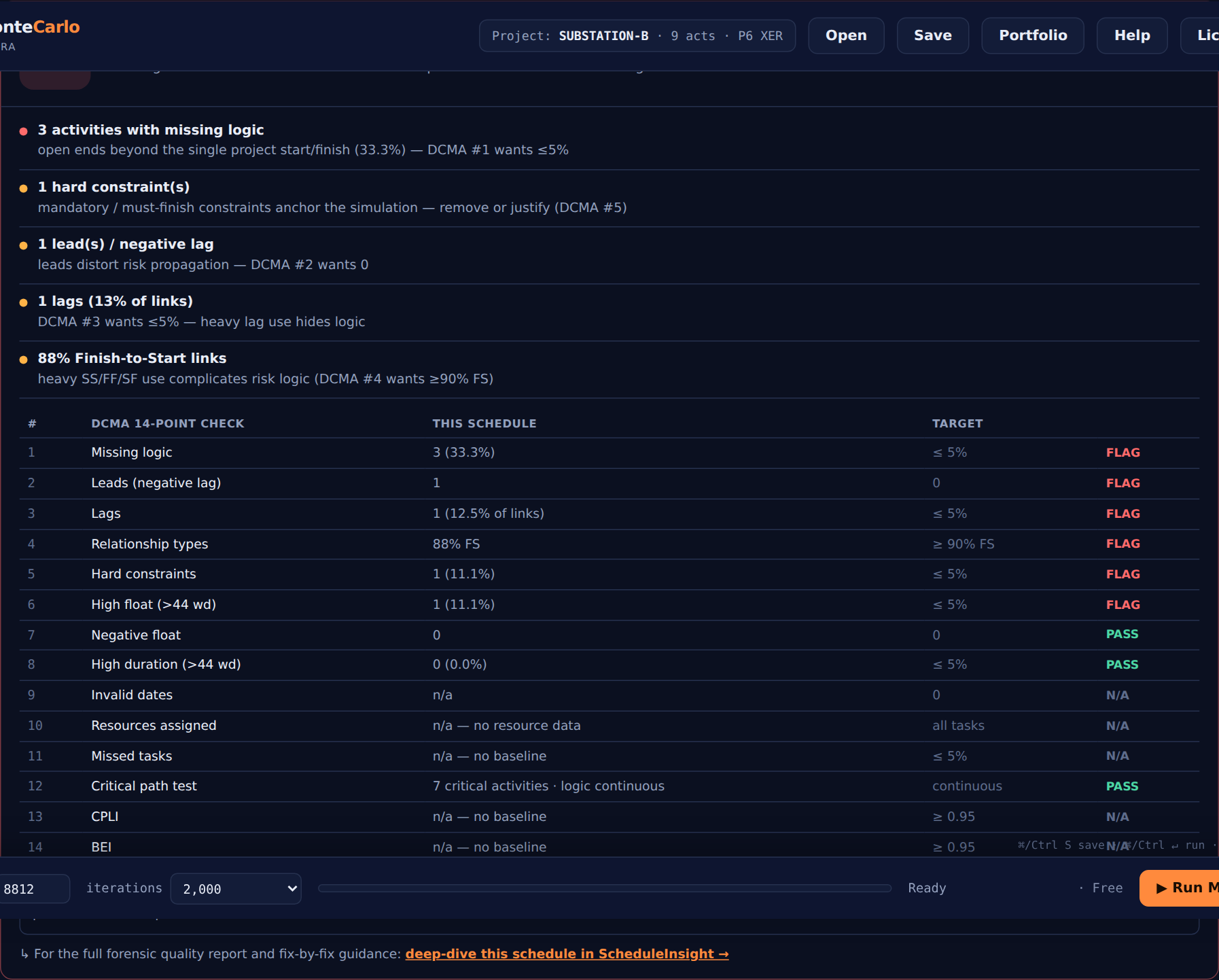 The deliberately imperfect v1 file: NOT RECOMMENDED, with each of the six FLAGs explained. Risk it anyway if you choose — the gate is advisory.
 - Fix what the banner flagged, then re-run. Check the mappings it named, give genuinely new work a proper range, press ⌘/Ctrl ↵. Minutes, not a rebuild — and guide 11 turns this monthly loop into a trend line.
Try it with the worked files. The Examples page ships this exact cycle: import substation-b-v1.xer, add a risk or two, then drop substation-b-v2.xer over the top and watch the banner do the month-two work.
Run the month-two cycle →