How to · guide 03 of 12 · 6 min read
Workshop round-trip — no licences for risk owners
The people who actually know the risks — the geotech lead, the commissioning manager — are exactly the people who will never install risk software or buy a seat. So the review copy is not an app: it's a single self-contained HTML file that opens in any browser, offline, edits in place, and saves itself back. No account, no licence, nothing sent anywhere.
- Put an owner on every risk. The Owner column on 3 Risk Register is what scopes the round-trip — each owner gets a copy containing only their risks.
- Export the review copies. Click Review copy and pick an owner (or All risks). Tick Blind elicitation — hide current values to blank the current estimates so they can't anchor anyone — cells left empty keep the existing value on merge. Email each downloaded file out.
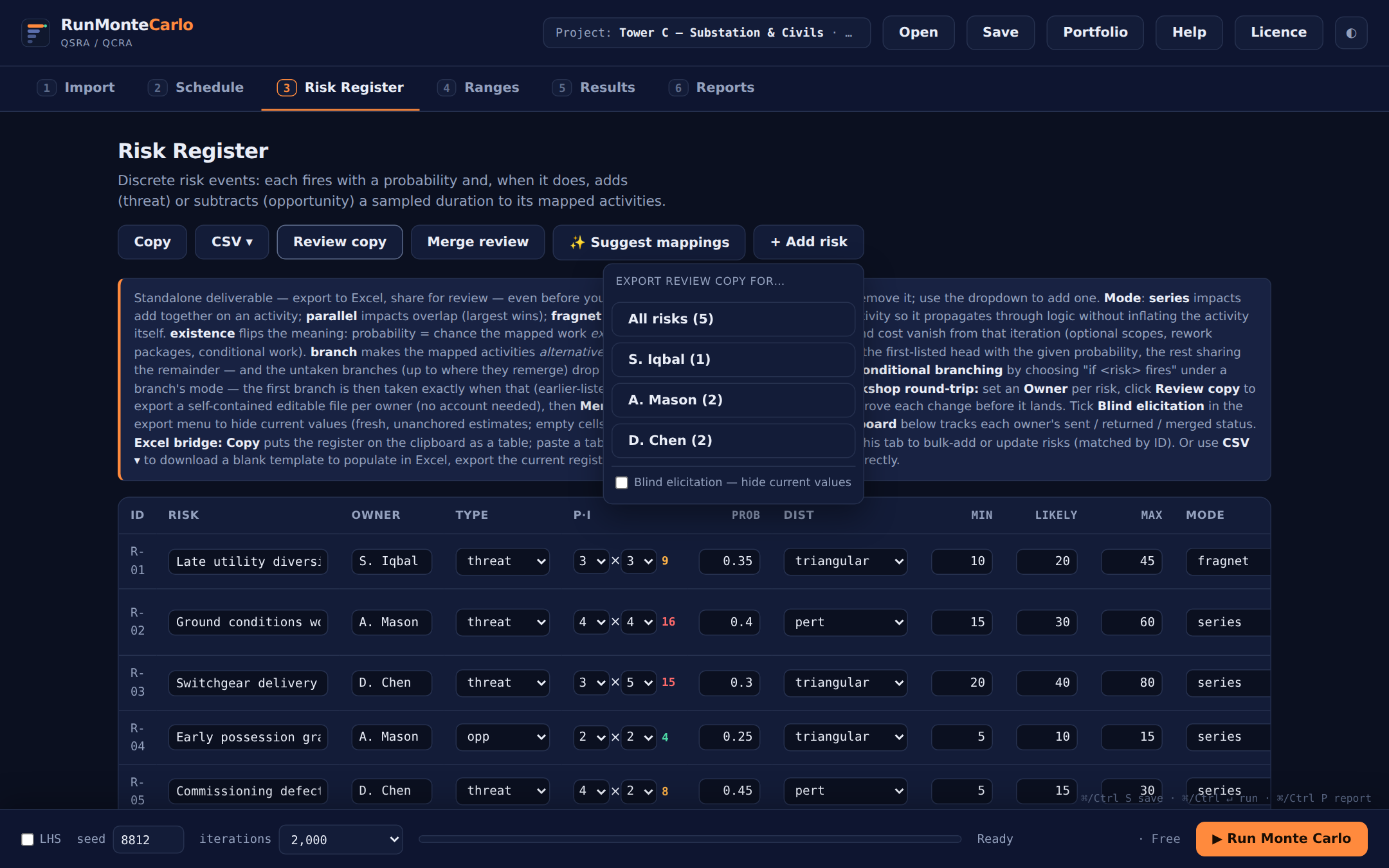 One button per owner, scoped to their risks — and the blind-elicitation switch for unanchored estimates.
 - The owner edits in their browser. They open the file anywhere — site laptop, home machine, no network — and adjust probability, min / likely / max, post-mitigation values, and leave a comment per risk. Elicitation guardrails flag incoherent entries as they type: probabilities outside 0–1, "100% is a certainty, not a risk", min above likely, zero-width ranges. Then one button: Save & send back, which downloads a returned copy to email back.
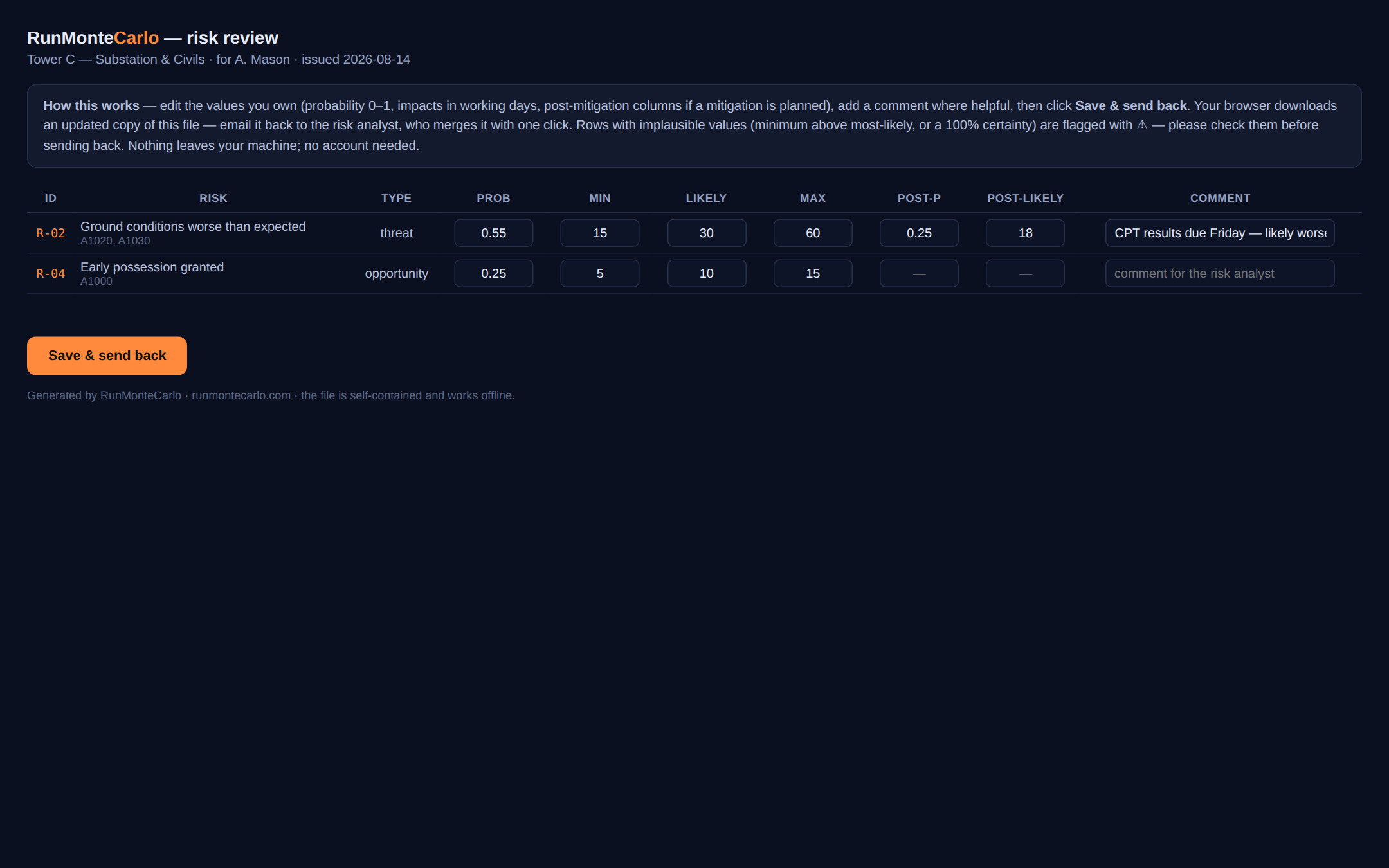 What the risk owner sees: their risks, editable cells, live sanity checks — a web page, not an install.
 - Merge the returns — change by change. Back in the app, Merge review → pick the returned file. Every proposed change lands in a review card — Risk · Field · Current · Proposed, each row ticked — and nothing touches the model until you press Apply selected. Merges are logged to the model history and print in the report's inputs audit.
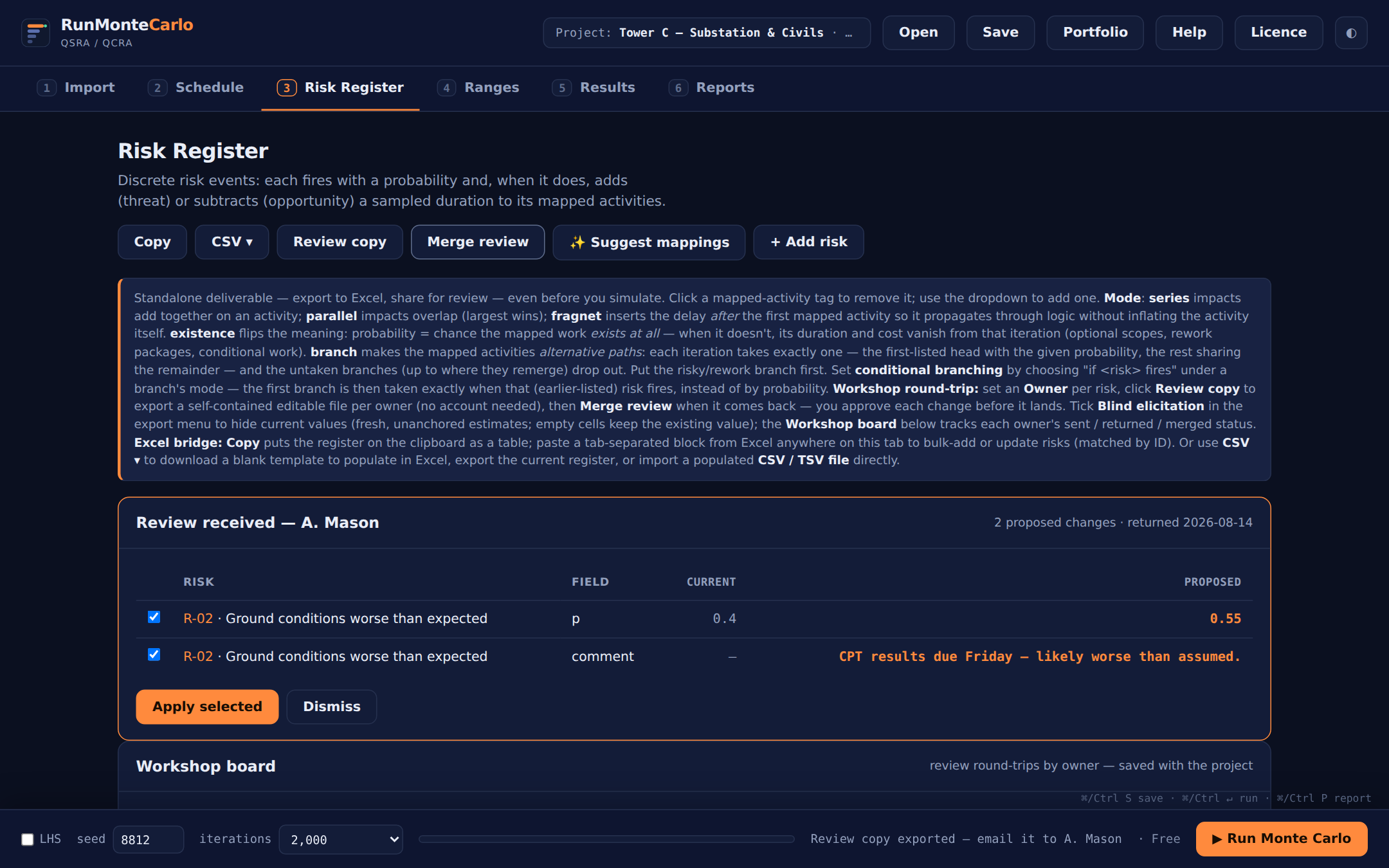 The facilitator stays in control: untick anything, then apply. The audit trail writes itself.
 - Track the round on the Workshop board. Once a copy has gone out, the Workshop board card tracks every owner — sent, returned, merged, with a blind badge on blind rounds and a show changes disclosure per merge. The board saves in the Risk File, so the elicitation state travels with the model.
 Facilitator's view of the round: who has their copy, who has returned it, what was merged.
Register-first working. The register is a deliverable before any simulation: Copy pastes it into Excel, CSV ▾ round-trips it as a file, and the Risk Register report on tab 6 generates with no run at all — so the workshop can happen before the schedule is even fit to risk.
Send your first review copy →